Mental Model Game 2
This game uses all four arrow keys.
You can also click the left and right half of the screens.
Don't forget that b toggles the hit boxes.
See what you can figure out about how to play it.
Then think about the camera and gravity.
What Did You See?
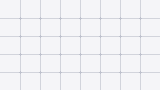
The hero is controlled by the arrow keys, but its feel is different: it feels like it's rolling on a table that can be tilted. The world is large, and the camera follows the hero. In order for this to work, visually, there's a tiled background.
There are some important things to try, if you haven't already. What happens when you reach an edge? Do you notice anything when you show the hit boxes?
How It's Built
Here's the whole file.
Some parts of the file will be familiar.
Others will be brand new.
If you want to run it, you'll need to copy the code and paste it into your my_game.ts file, replacing all the contents.
You'll also need to put these images in your src/my_game/assets folder:



Here are a few things you should notice in the game:
- The world has borders
- The game is using graphics (png files) instead of drawing basic geometric shapes
- The camera has boundaries, tries to keep the hero in view, and tries not to show things outside its boundaries.
- A tiled background makes the hero's movement easier to see. You should comment it out and see how the experience of the game changes.
- There are invisible buttons on a heads-up display for zooming in and out
- A chaser uses
ChaseMovement, turned loose in a much bigger space. The destination gives you something to aim for, and the chaser gives you a reason not to dawdle on the way
Before moving on, try changing the game. Can you make it bigger? Can you switch out the background image? Can you make the chaser faster, or add a second one? What happens if you put the buttons in the world instead of on the HUD? How hard is it to make the borders, when they aren't visible on screen?